Overview
Expanding Same Day Delivery to Every Store
One of the first projects I owned at PDL was the new Same Day Delivery experience. With a small rollout to a few markets already live, our team needed to expand this feature to all stores. Our MVP approach focused on a partnership between stores, store fulfillment centers, and Instacart to provide same day delivery to a widely expanded customer base. As we collaborated across different teams and business areas, we slowly refined this project into an MVP approach that began rolling out to stores, with even more slated for 2022.
Step 1 — Customer Touchpoint Diagram
Identifying Questions and Gaps in the Experience
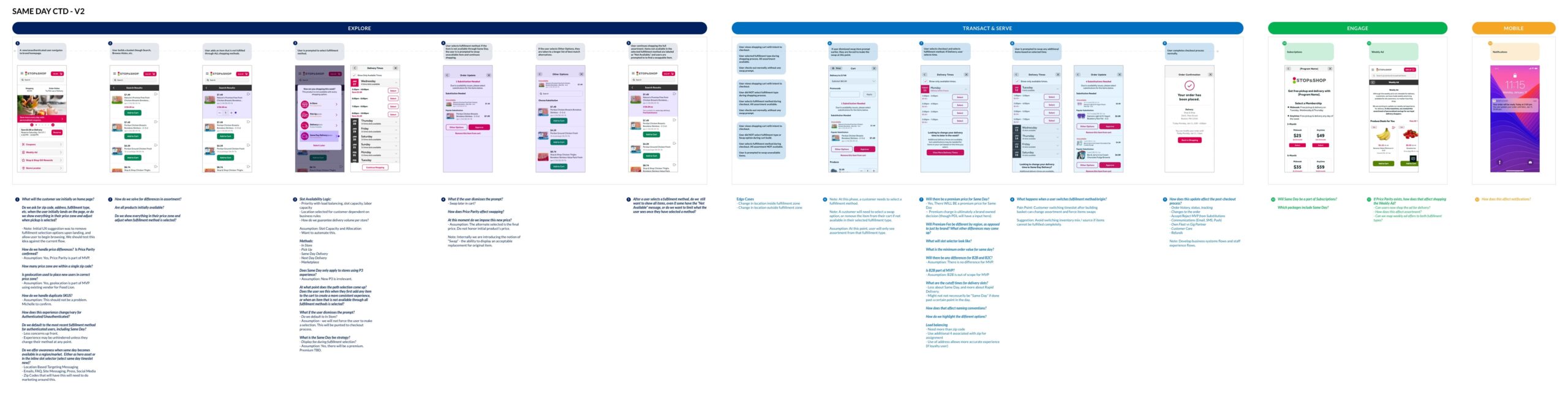
The first thing we created was a customer touchpoint diagram (CTD). This document acts like a flowchart and helps track the whole Same Day Delivery experience across the entire user journey. It also helps see how the process breaks up into our different pillars (Explore, Transaction & Serve, Engage, and Mobile).
This diagram uses a combination of step-by-step flows based on existing screens, user and company wants and needs, and outstanding questions to drive the direction of the project. In some cases, the screens are updated slightly to showcase initial ideas. As this deliverable was refined, we continued to answer questions and solidify our approach for MVP. This went through a few drafts, and was eventually moved over to a presentation to share with business leaders and brands.
Step 2 — Competitive Analysis
Competitive Landscape Analysis
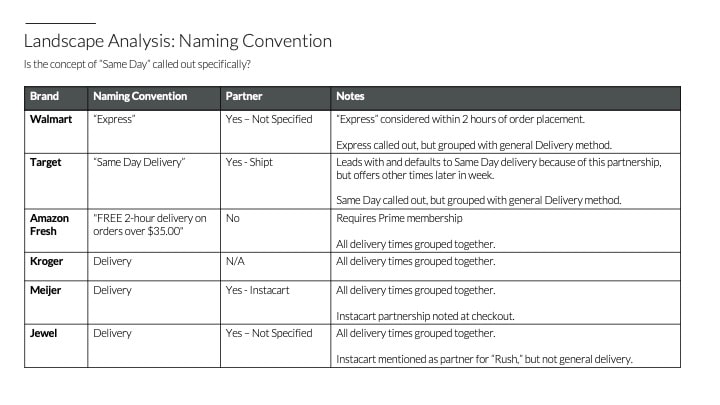
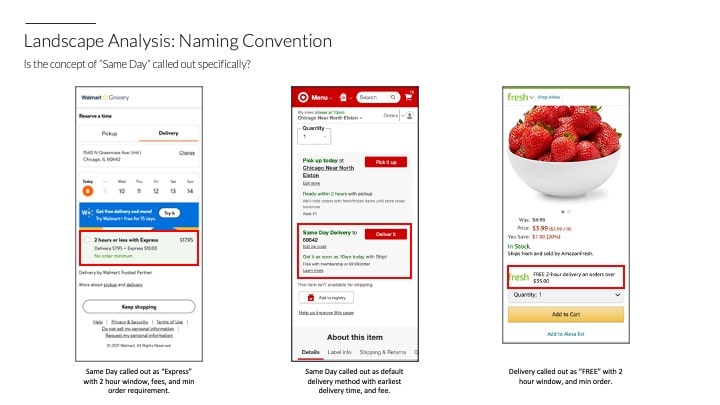
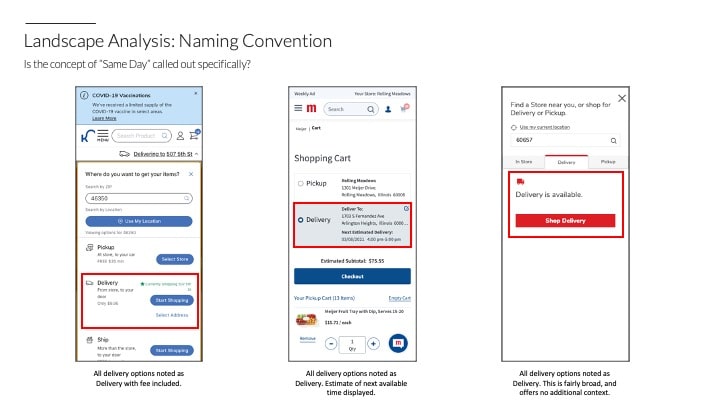
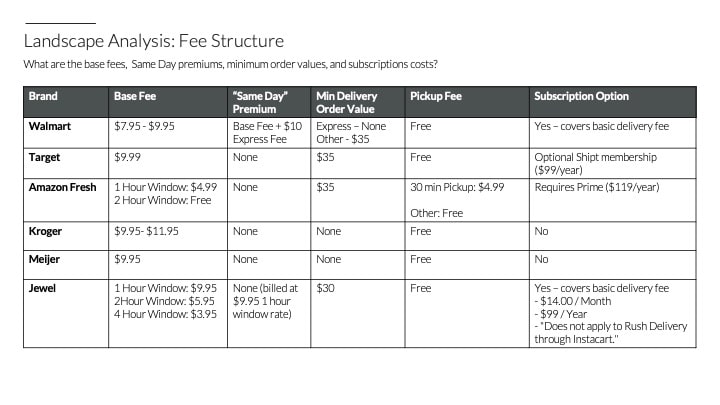
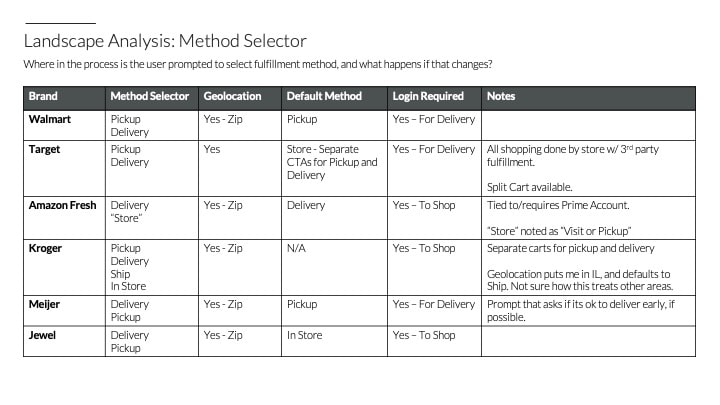
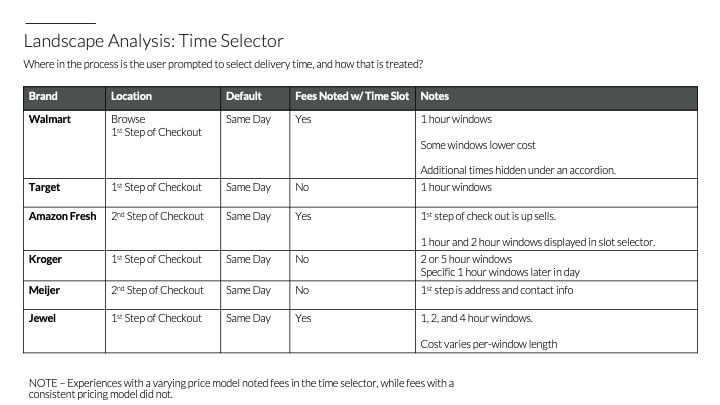
We examined the delivery practices of 6 of our main competitors (Walmart, Target, Amazon Fresh, Kroger, Meijer, and Jewel) to assess the following criteria:
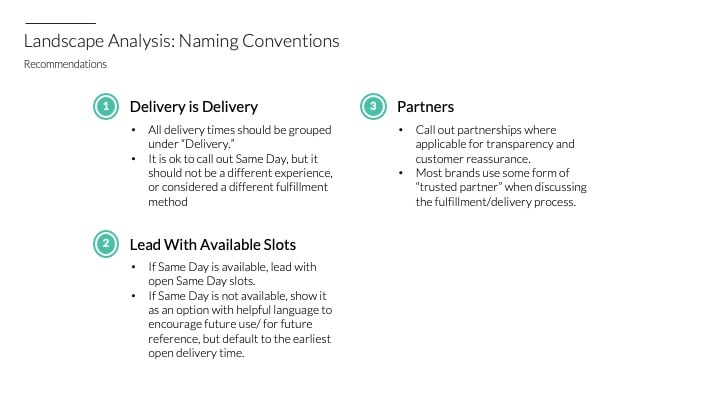
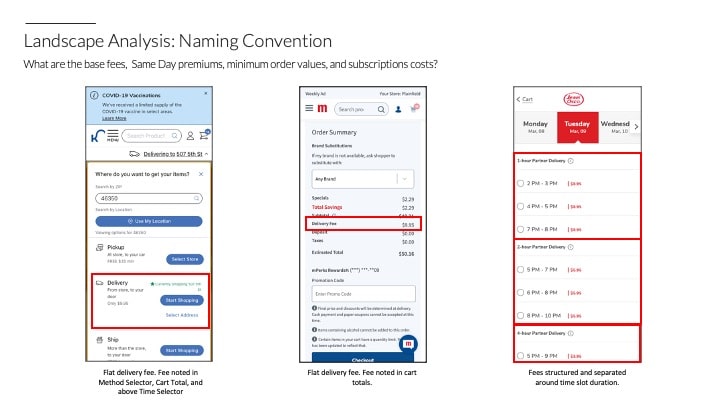
- Naming Convention: Is "Same Day" timeframe specifically called out?
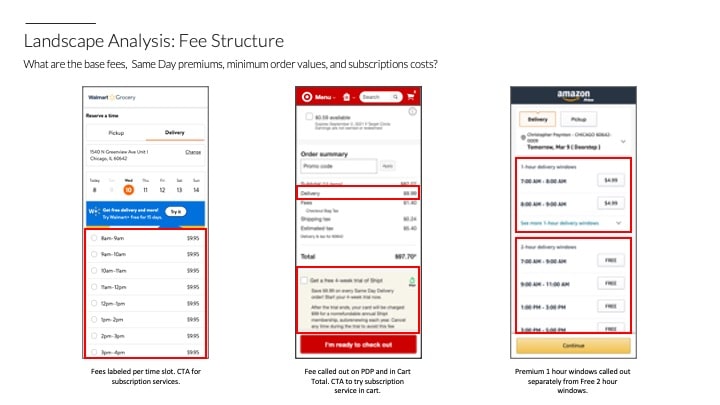
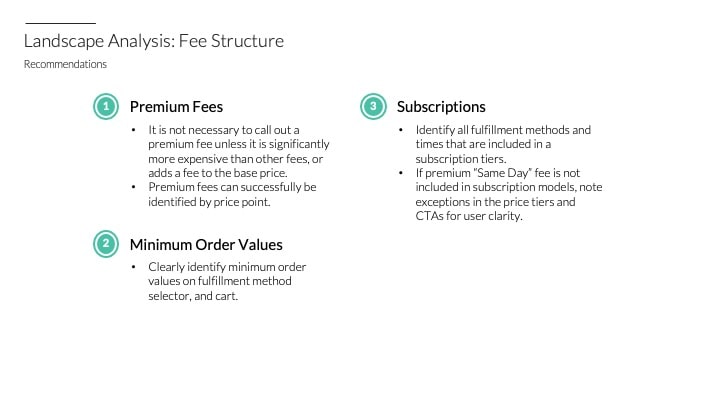
- Fee Structure: What are the base fees, Same Day premiums, minimum order values, and subscription costs?
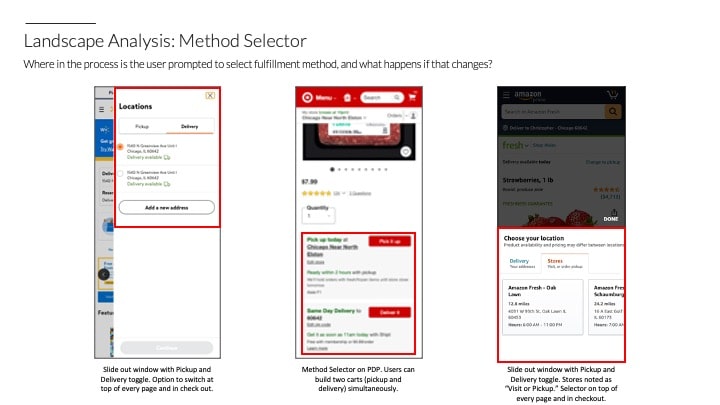
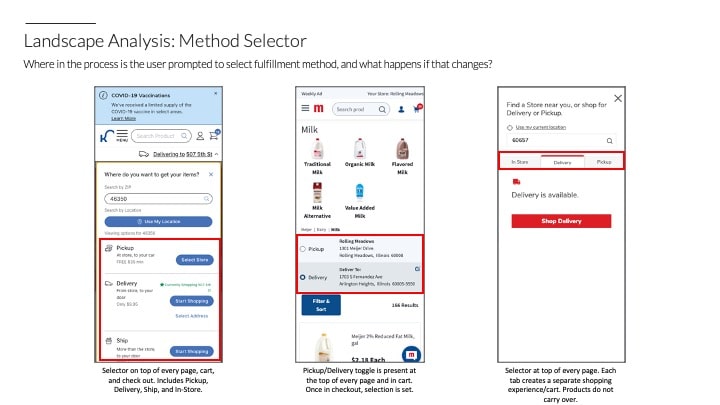
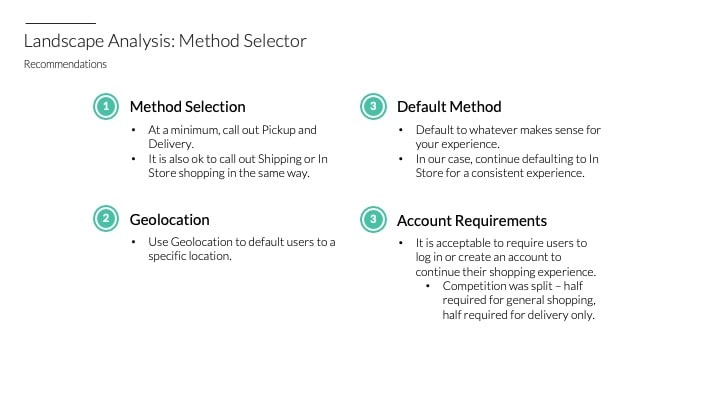
- Method Selector: Where in the process is the user prompted to select a fulfillment method?
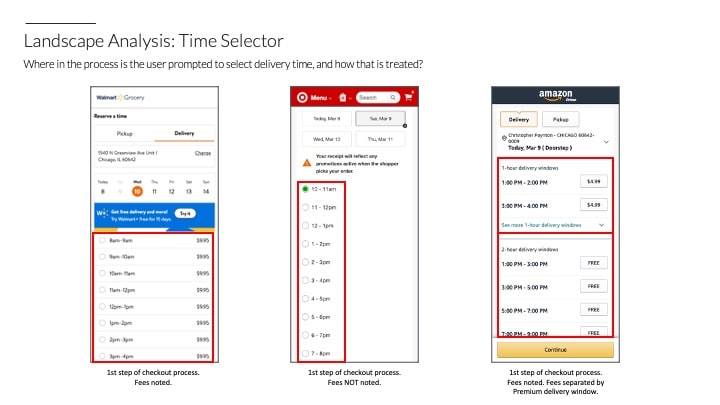
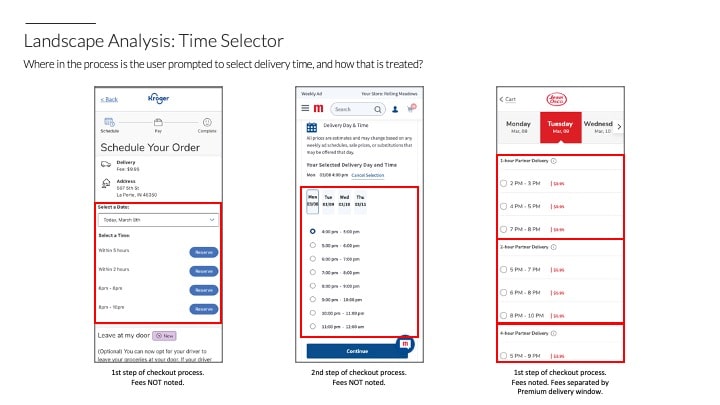
- Time Selector: Where in the process is the user prompted to select delivery time, and how is that treated?
- Assortment and Swap: How is assortment determined, and what happens to items after a change in fulfillment method?
Overall, results varied across competitors, but this analysis showed that even our initial MVP approach would put us on par with a lot of the competition.
Step 3 — User Flows
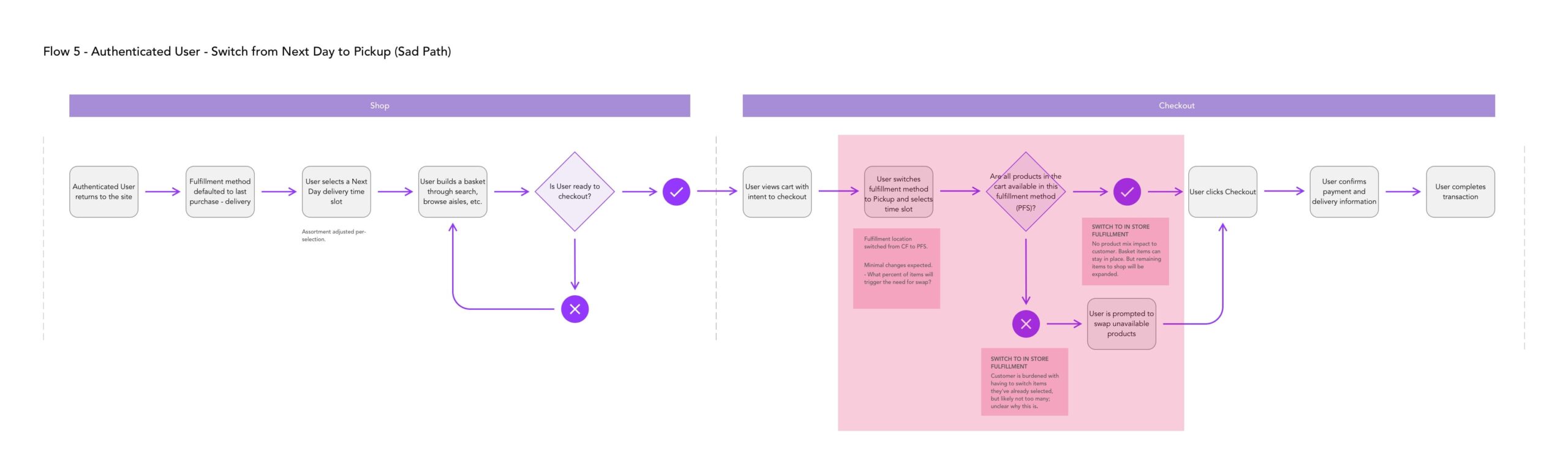
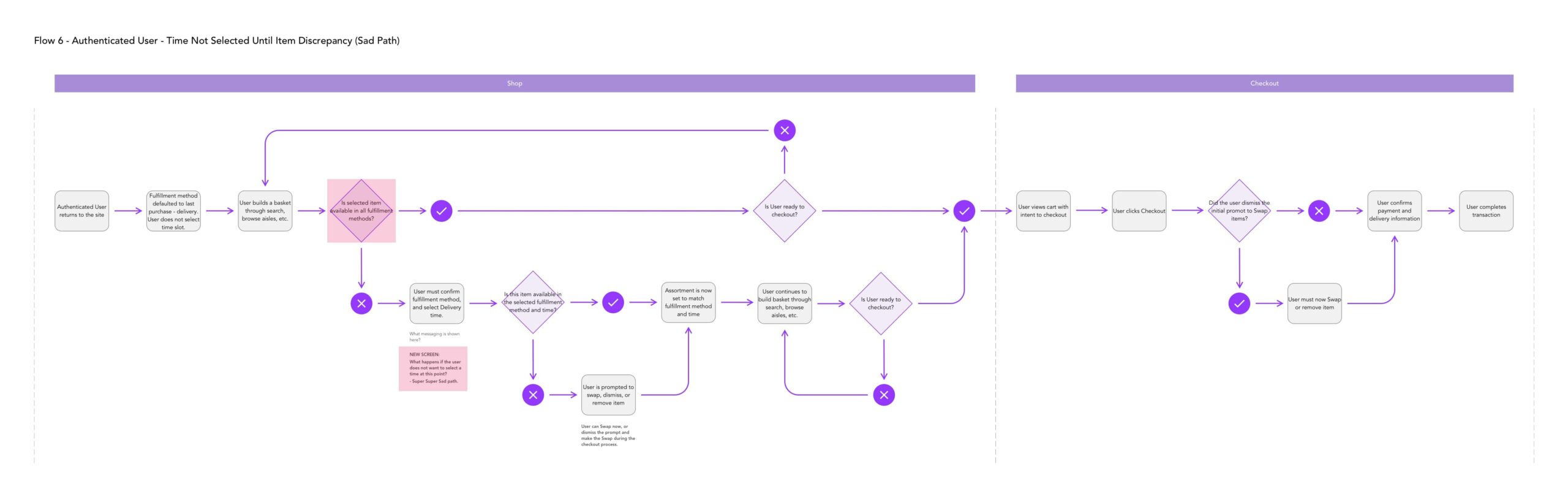
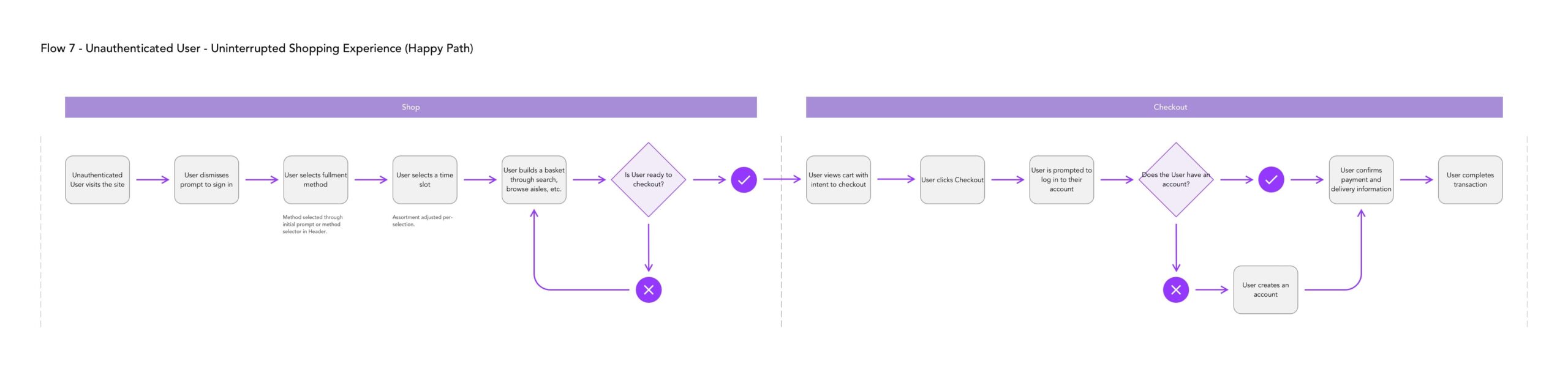
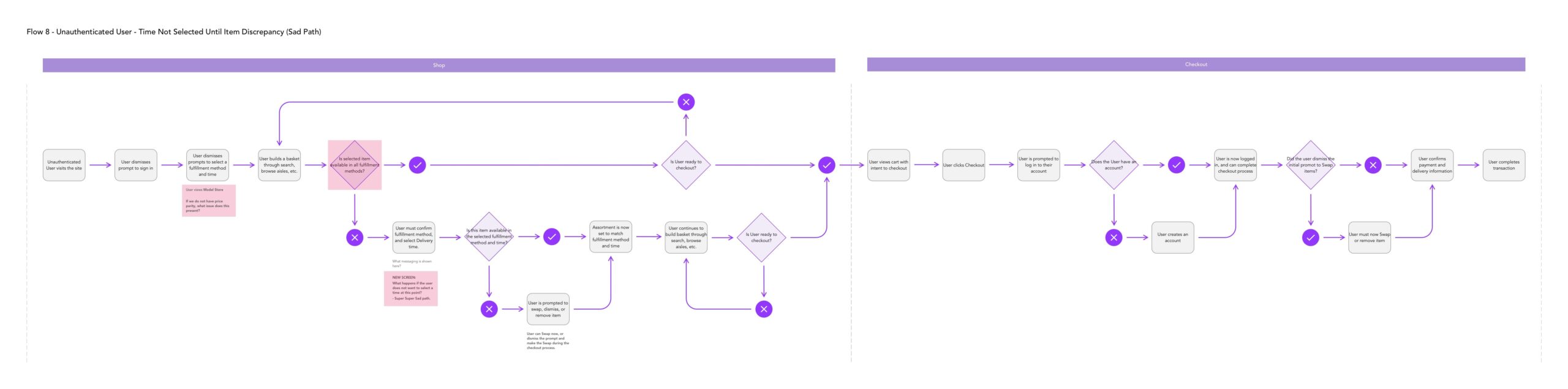
Mapping Every Fulfillment Scenario
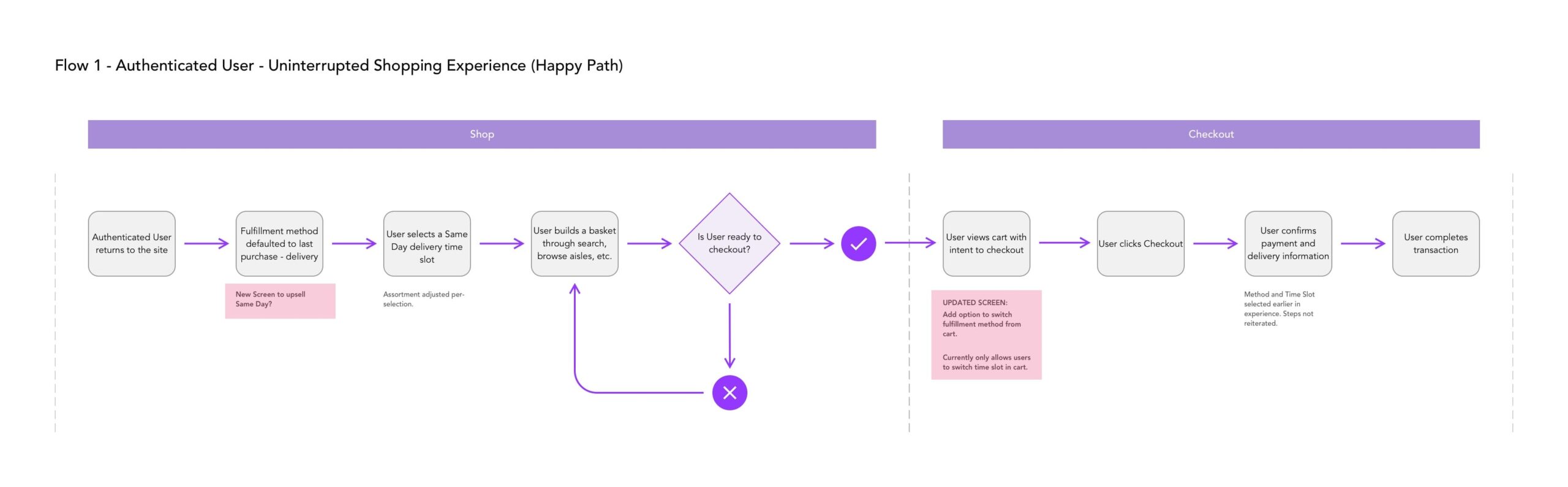
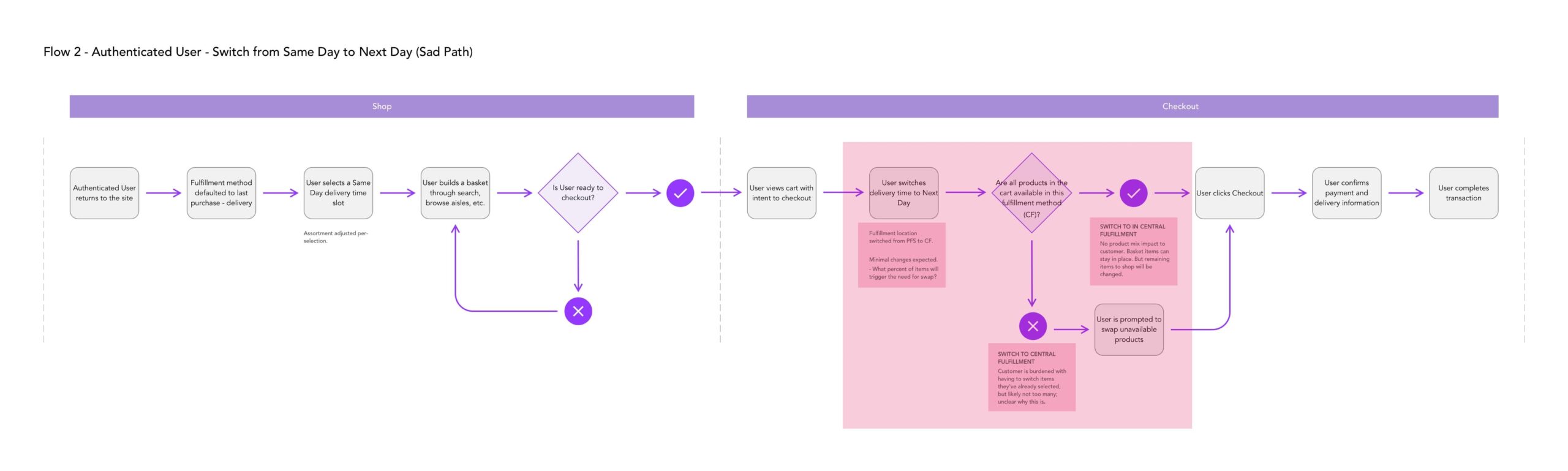
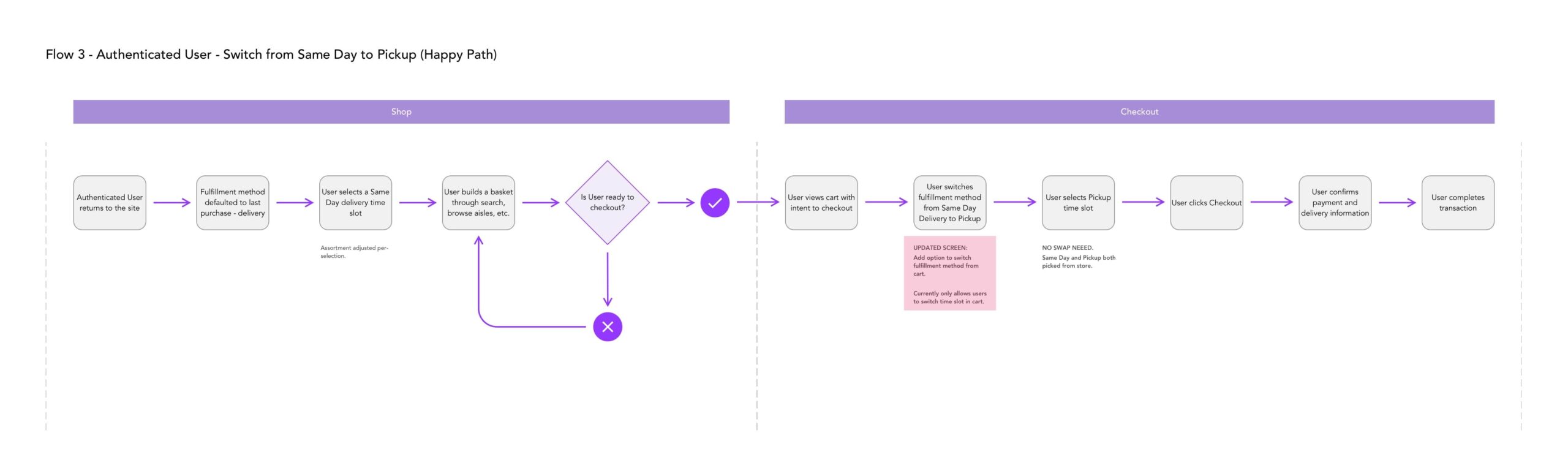
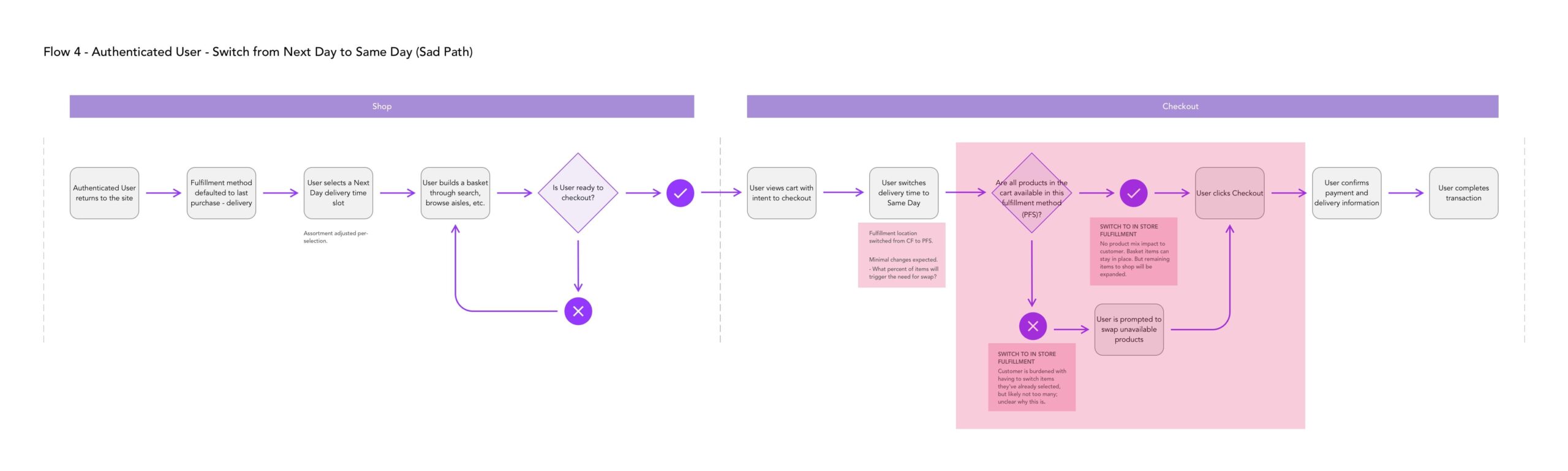
The next step was to take a closer look at user flows from a non-design perspective, focusing on different areas where users might change their fulfillment method. Orders are fulfilled from one of two places: actual stores (Same Day and Pickup) and central fulfillment facilities (Next Day Delivery). What complicates this further is that inventory across different stores and fulfillment centers is not consistent. If a user changes their fulfillment method, there is a chance that some items are not available in their cart. We used this exercise to figure out when this would occur, and how we should deal with these inventory changes.
Step 4 — Designs
Designs and Design Flows
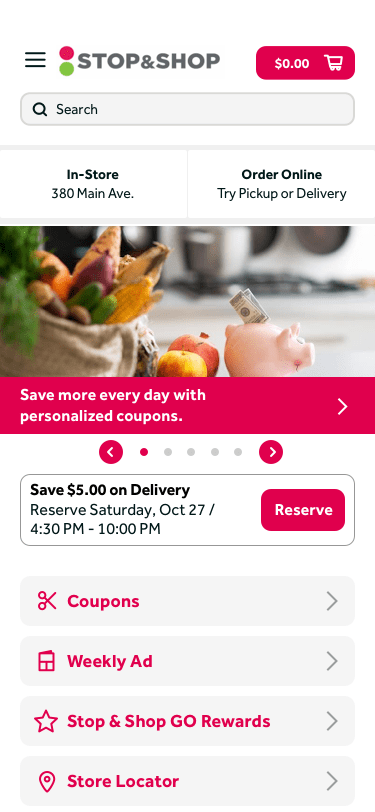
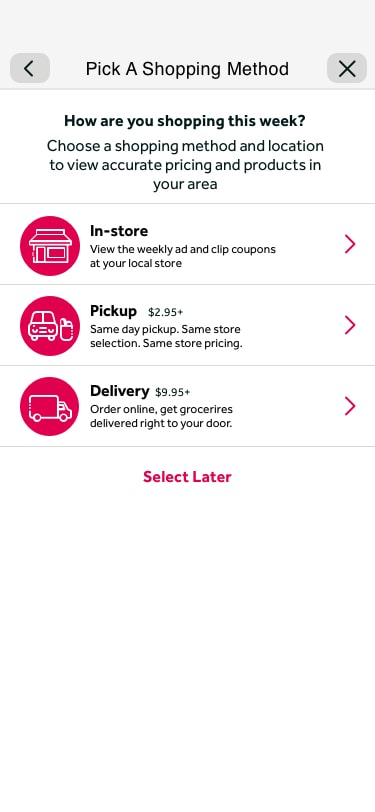
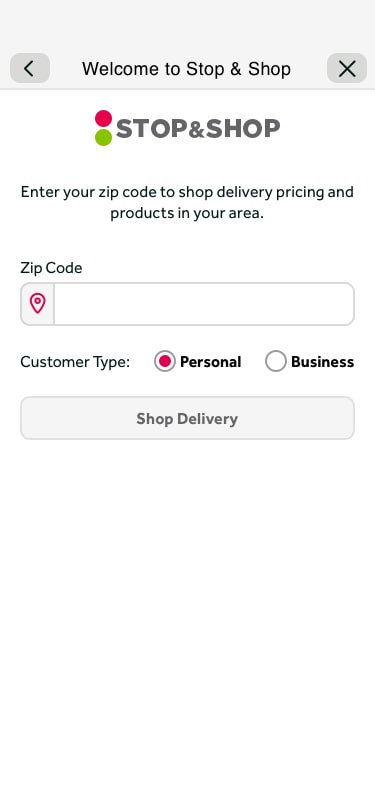
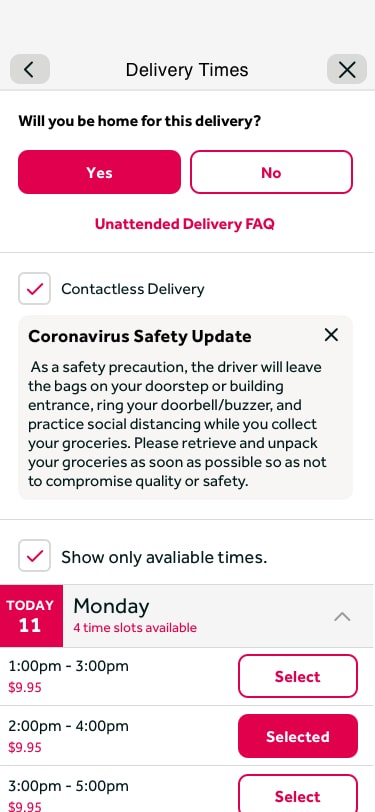
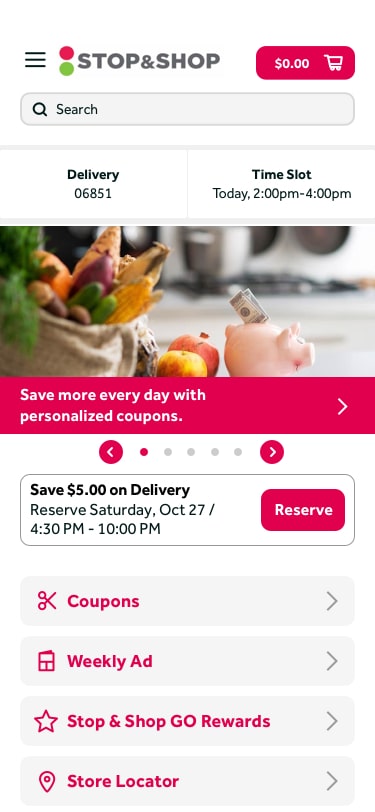
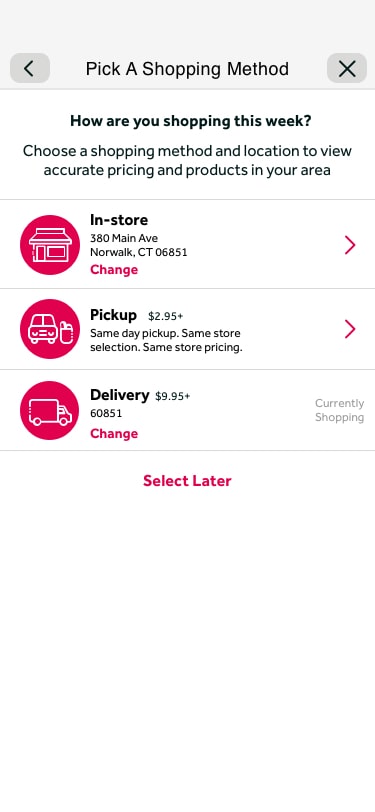
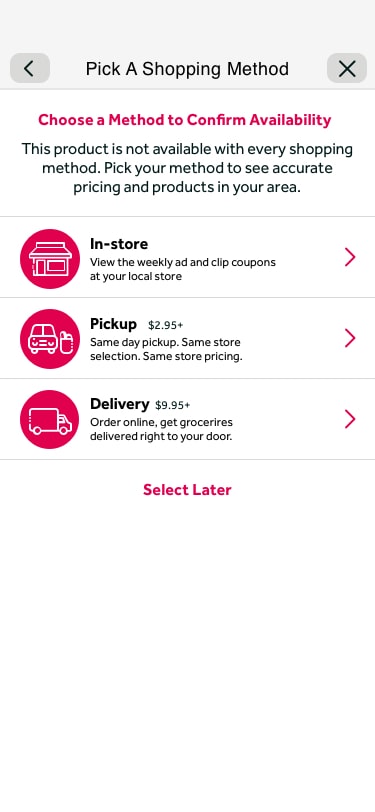
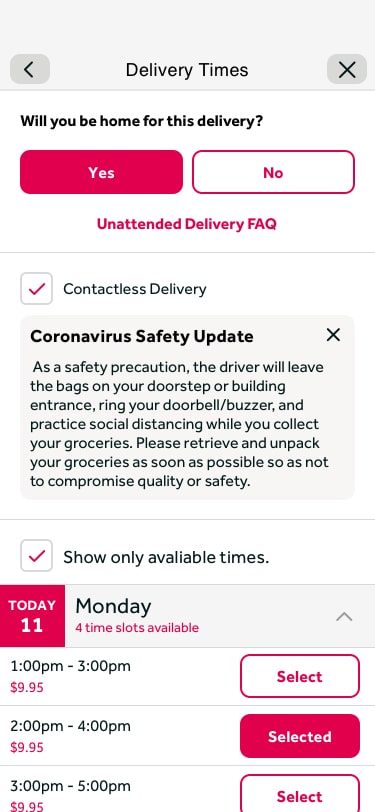
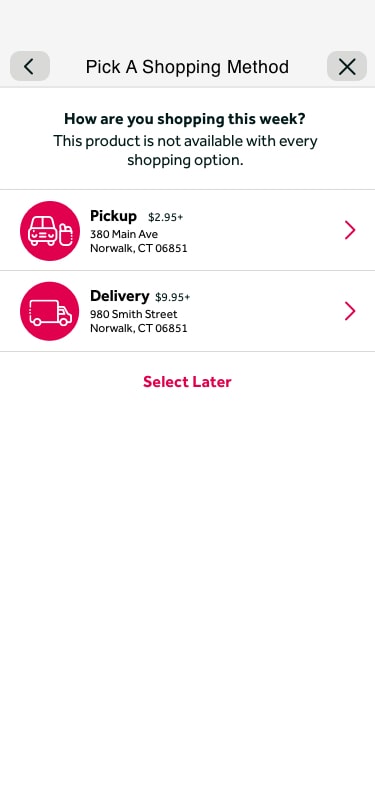
With the flows figured out, we built out designs. Our initial approach focused on building out a best-case scenario, updating existing patterns and copy, and building new screens as needed. This went through a lot of iteration before reaching a point where we had the experience where we wanted it.
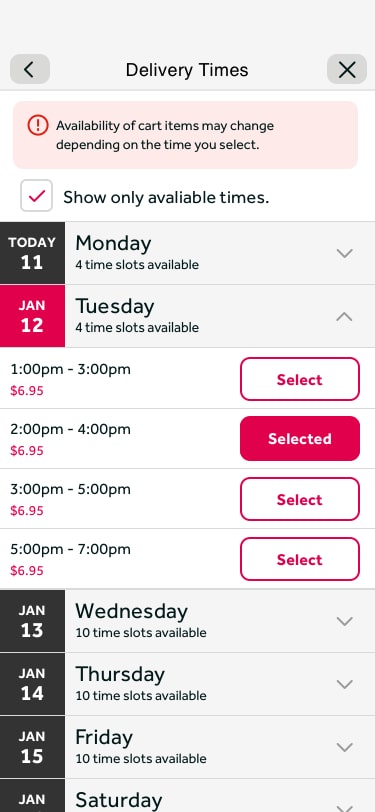
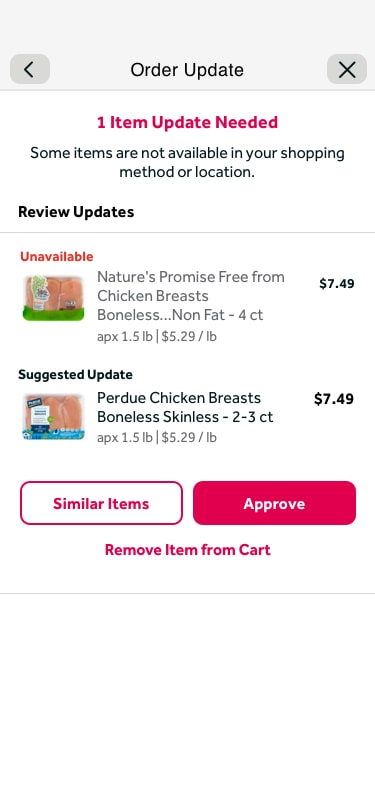
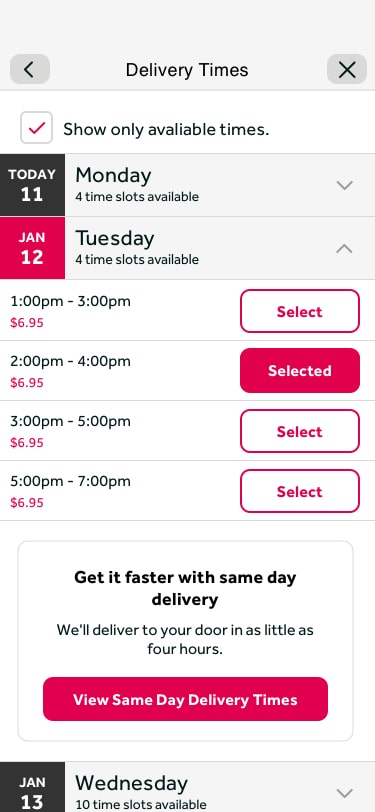
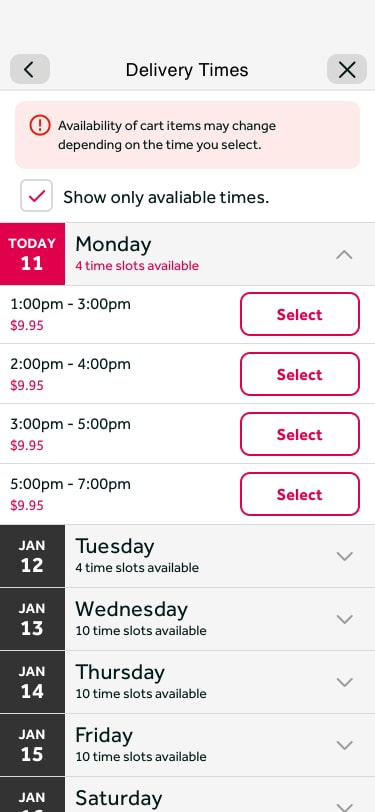
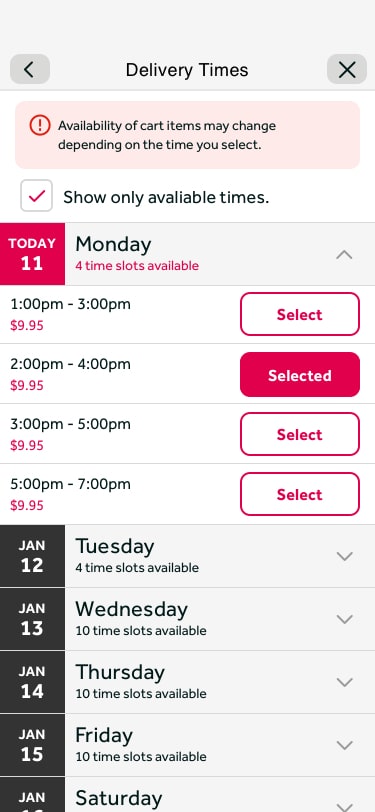
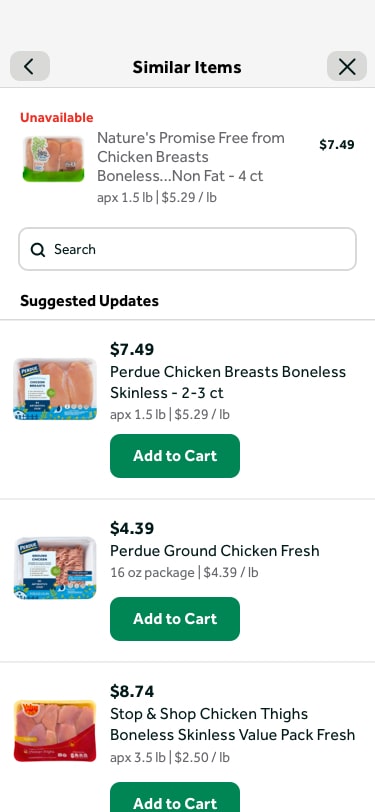
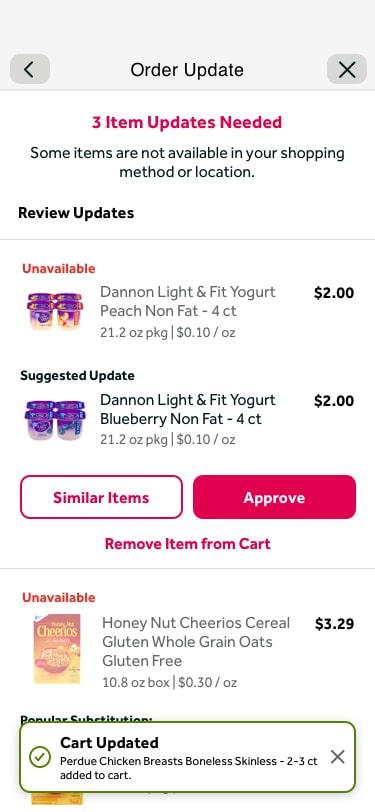
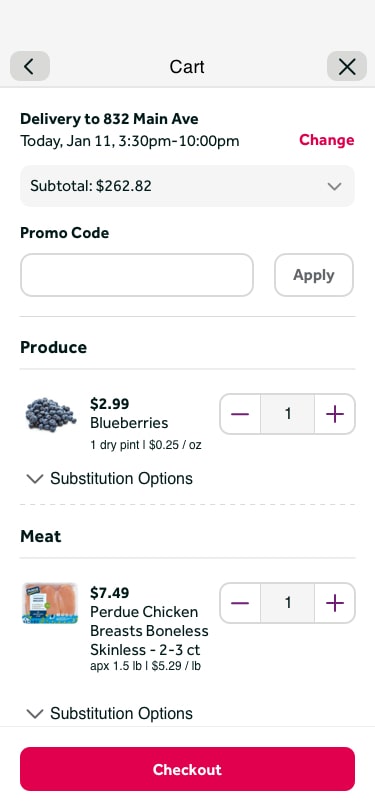
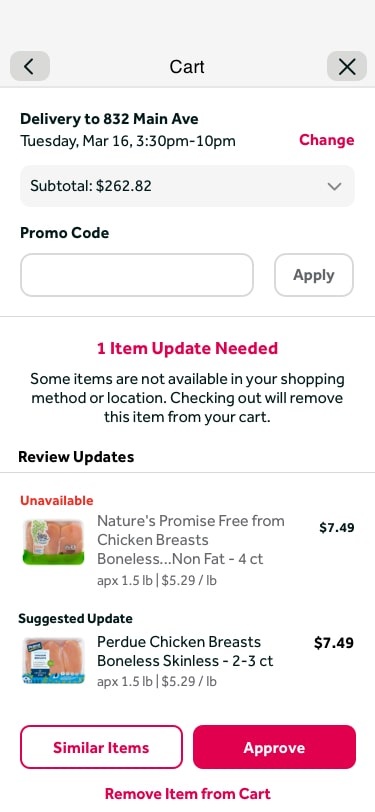
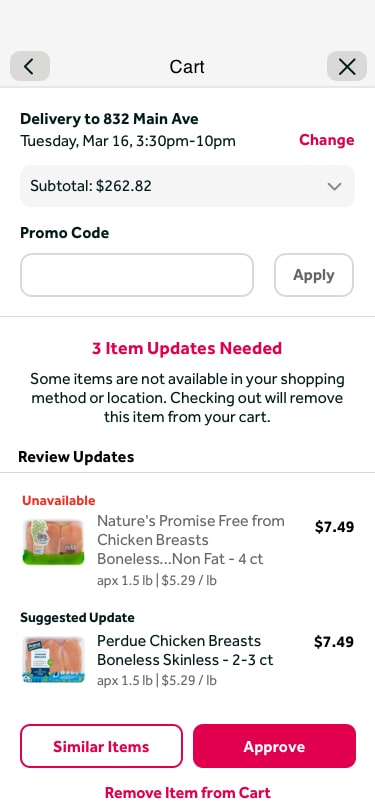
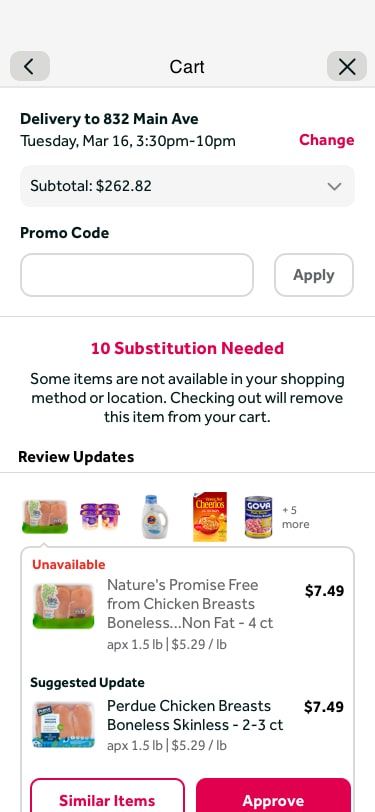
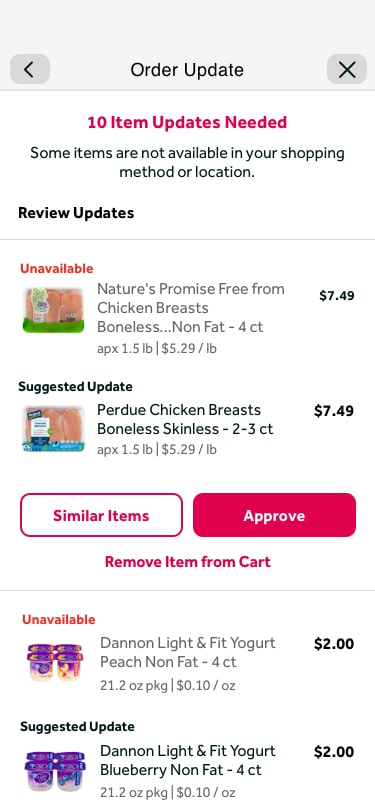
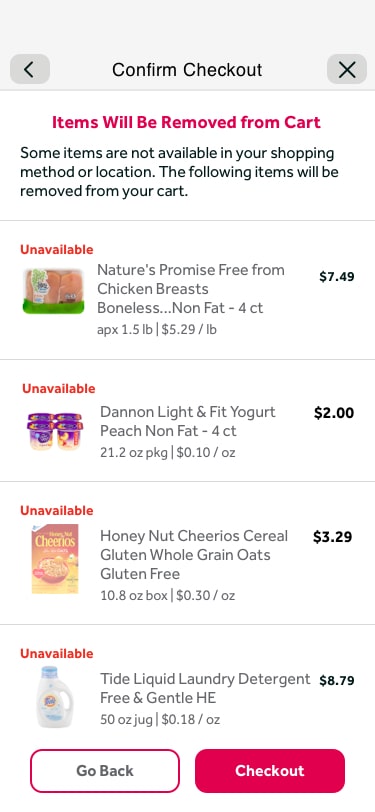
Some of the bigger updates here included showing pricing for different time slots to help users understand there is a difference in expectation with each slot, and updating designs, language, and functionality around swapping items that may become unavailable once a user changes their fulfillment method. These changes had a huge impact on making the customer experience clear and setting accurate expectations.
Initial Method and Time Selector
Item Discrepancy: Method Not Selected Yet
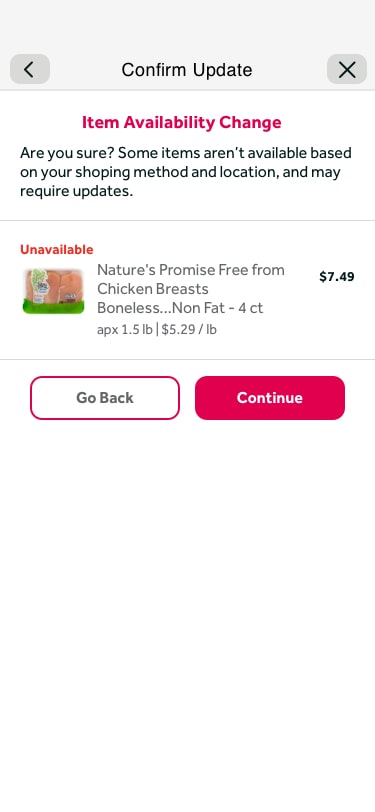
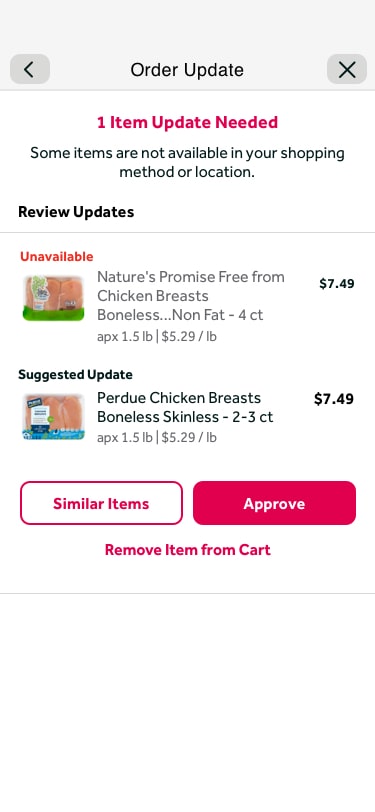
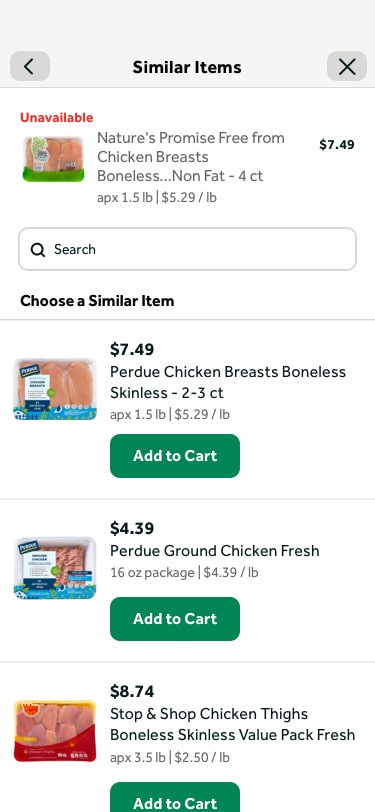
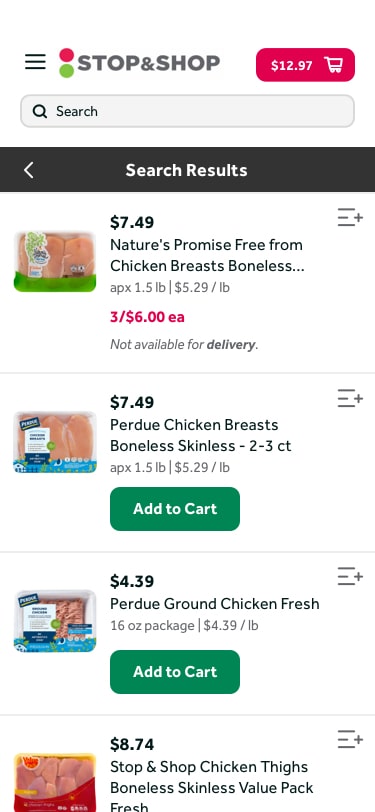
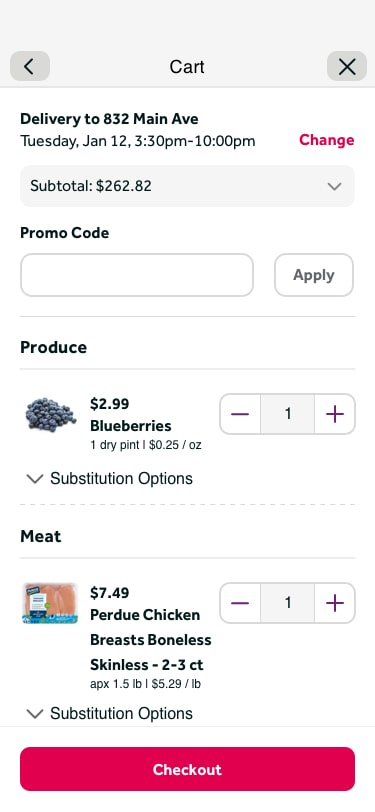
Cart: Method/Time Change (Same Day to Next Day)
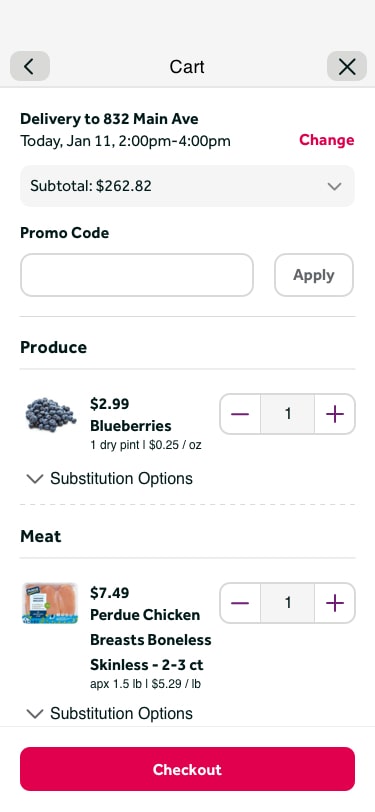
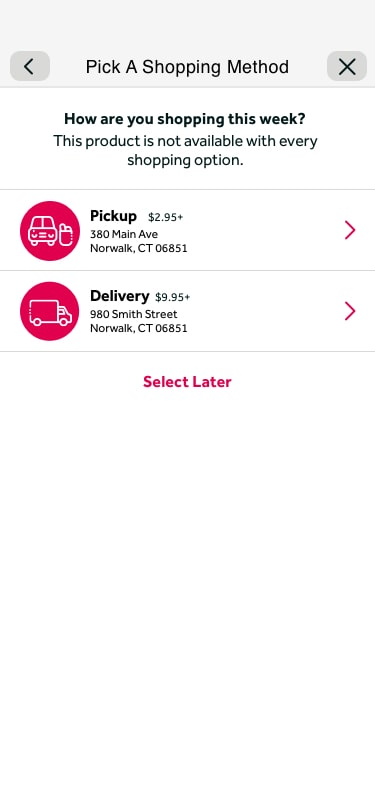
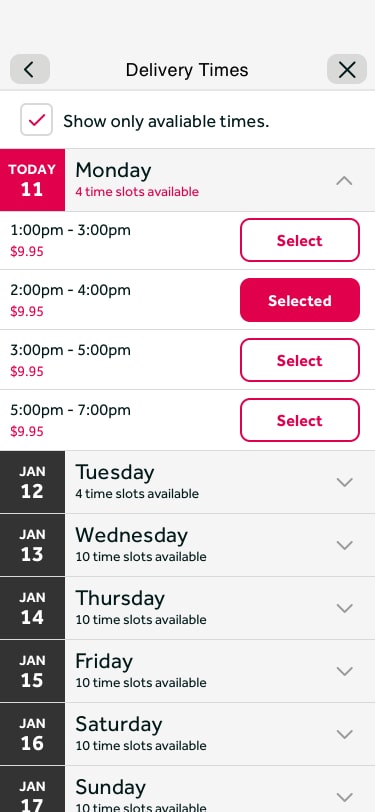
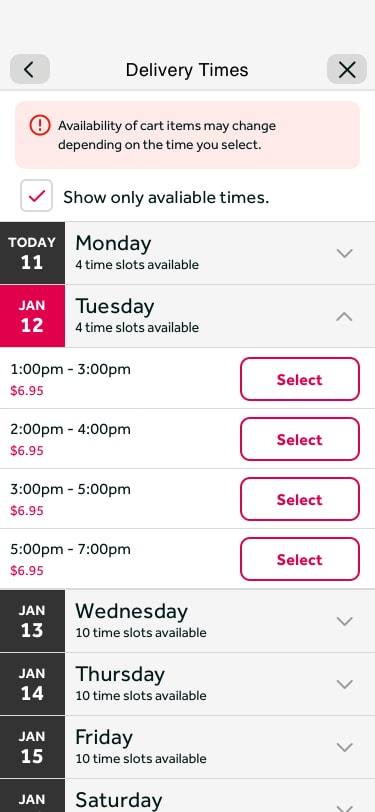
Cart: Method/Time Change (Next Day to Same Day)
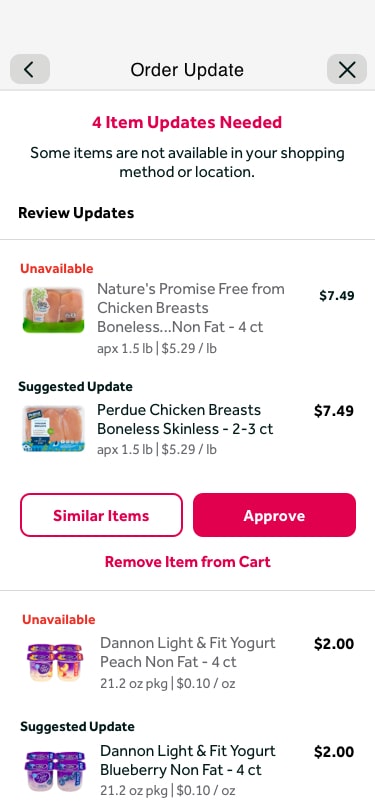
Cart: Swap Prompt Dismissed
Step 5 — MVP Refinement
MVP Refinement and Prototype
Through additional discussions based on changes in resources and timing, we refined our designs further. We unfortunately had to cut out some features to hit a launch deadline. However, we did not sacrifice all usability decisions; we just had to scale a few things back. To properly show these changes in features and flows, I created a fully interactive prototype in InVision to show leadership exactly how the experience would function.
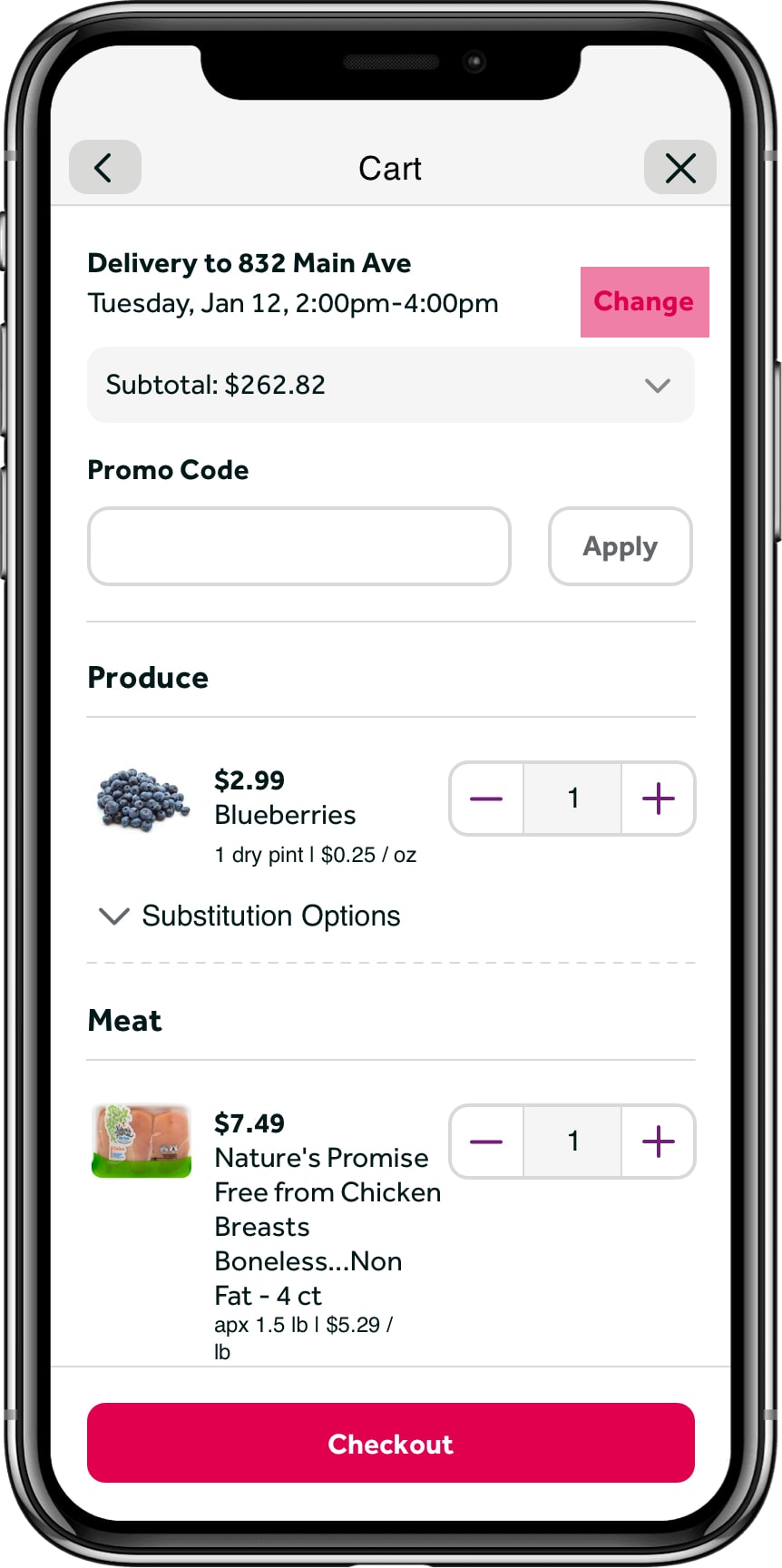
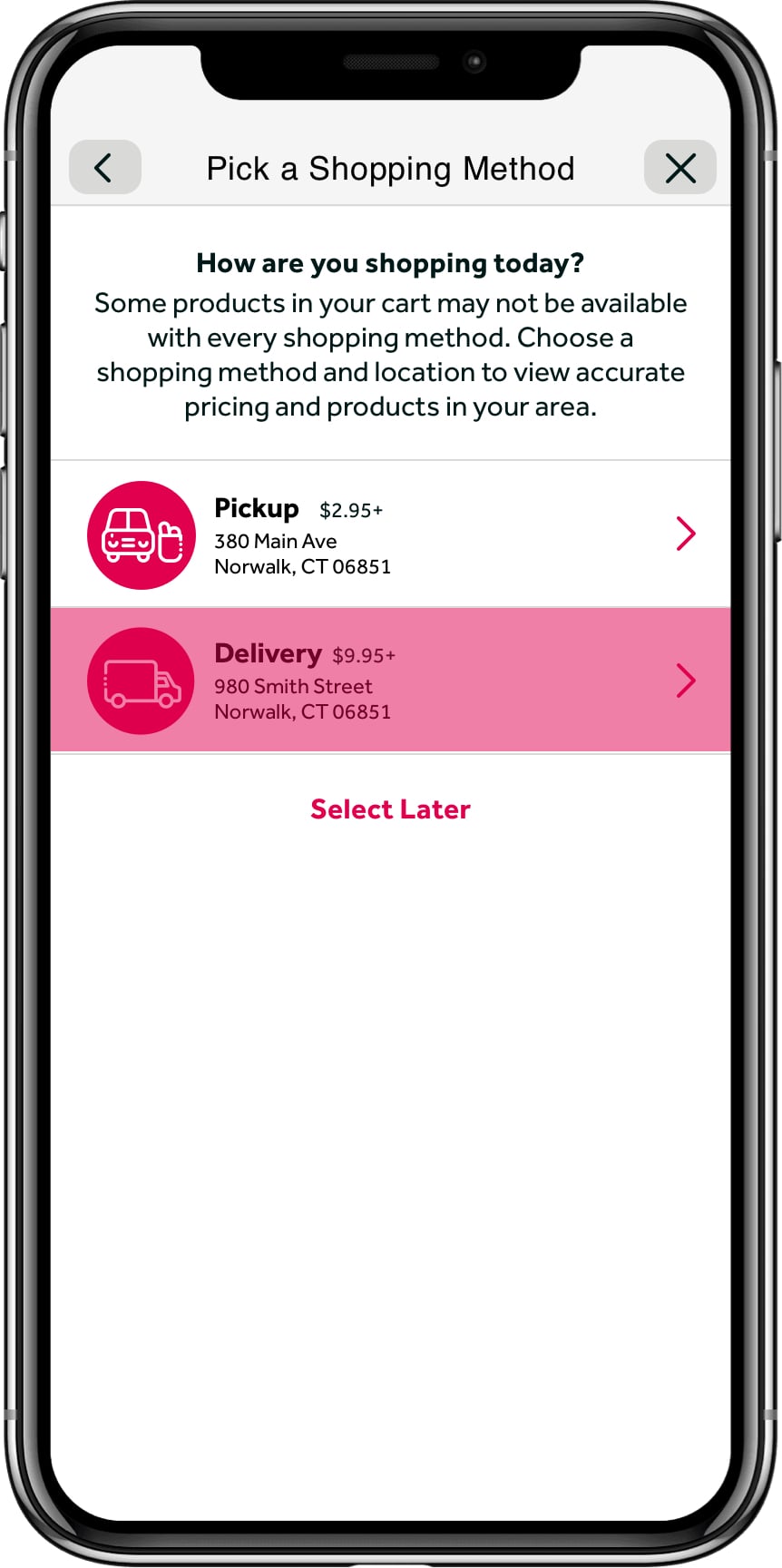
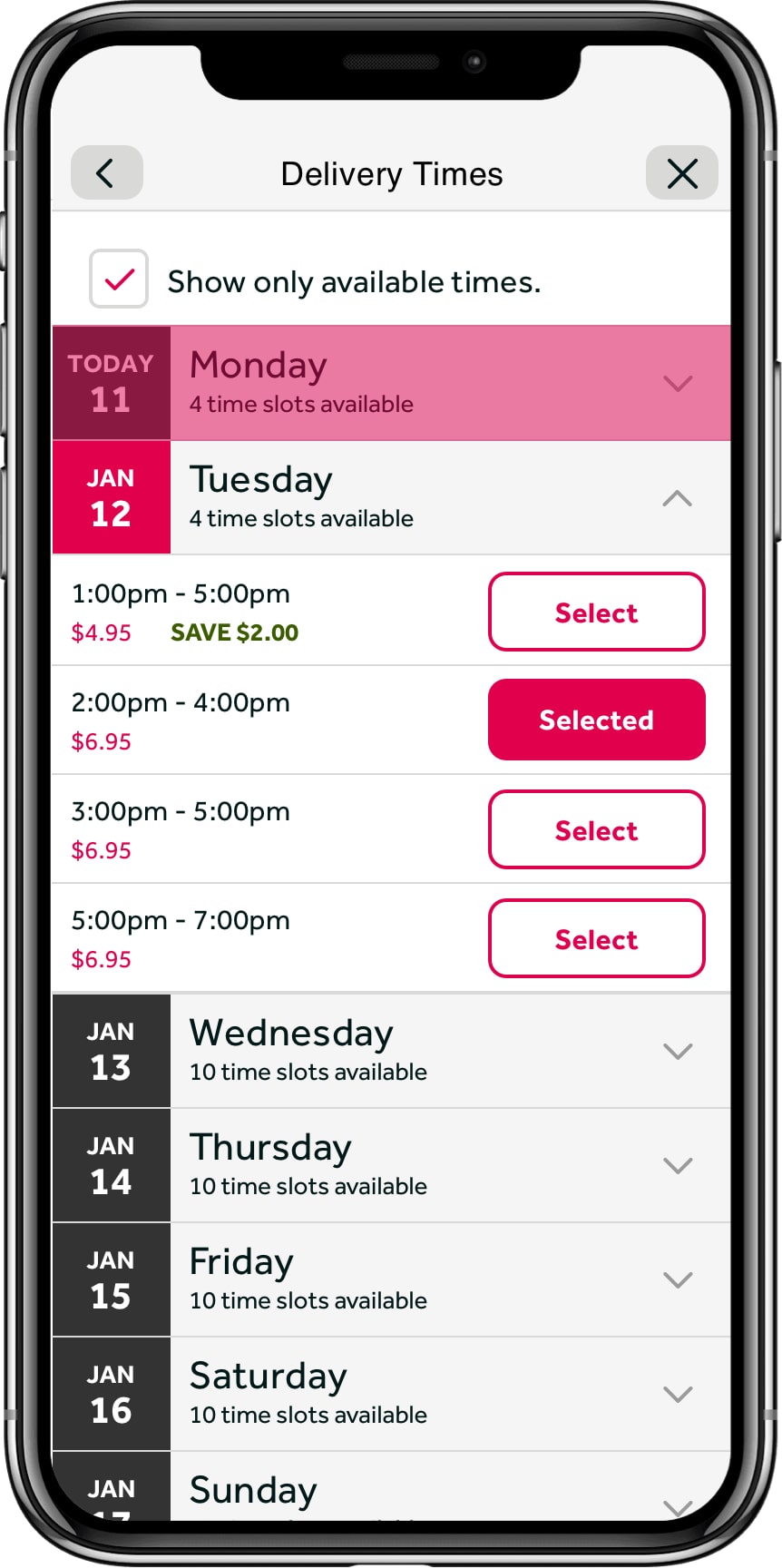
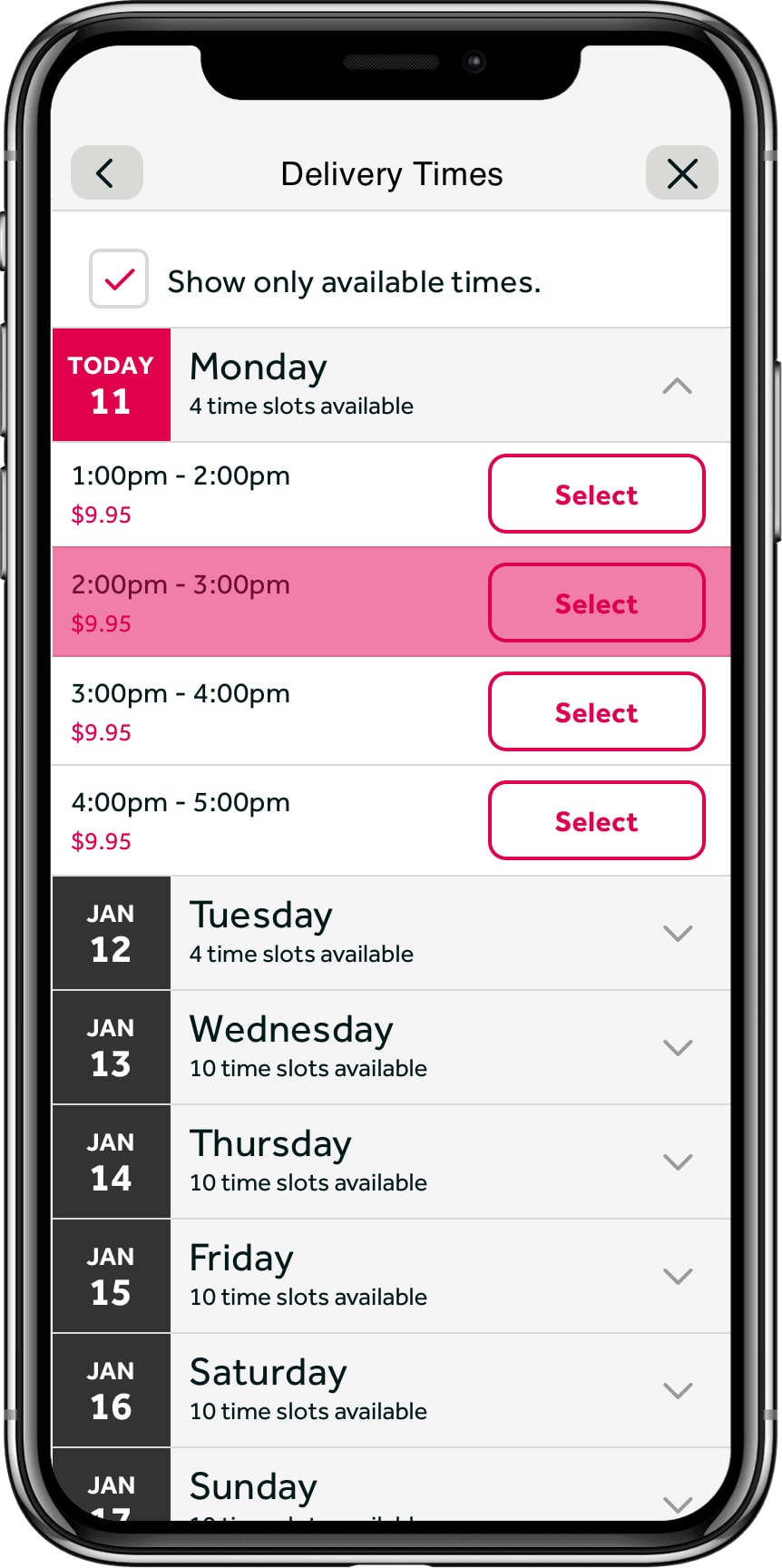
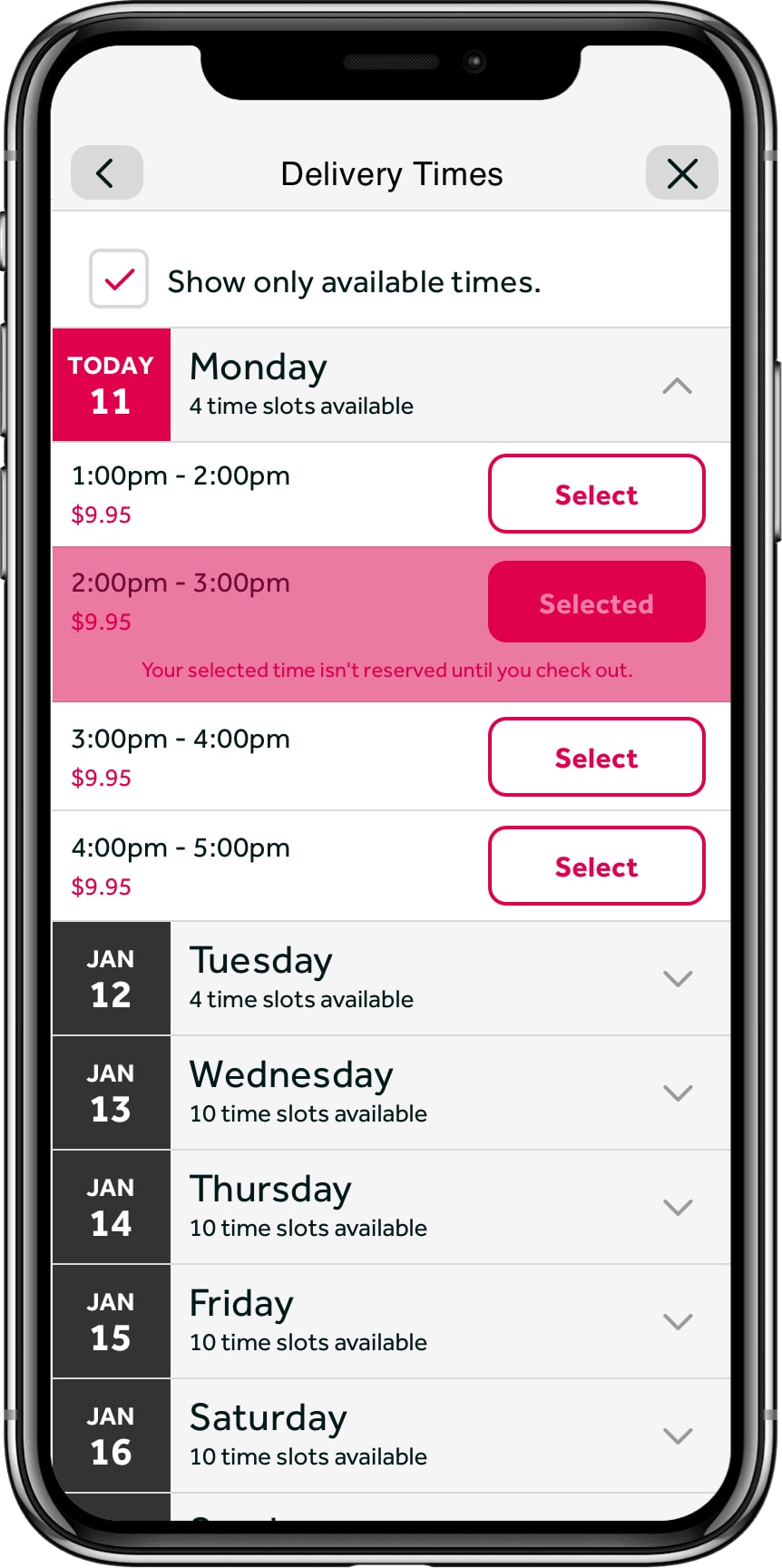
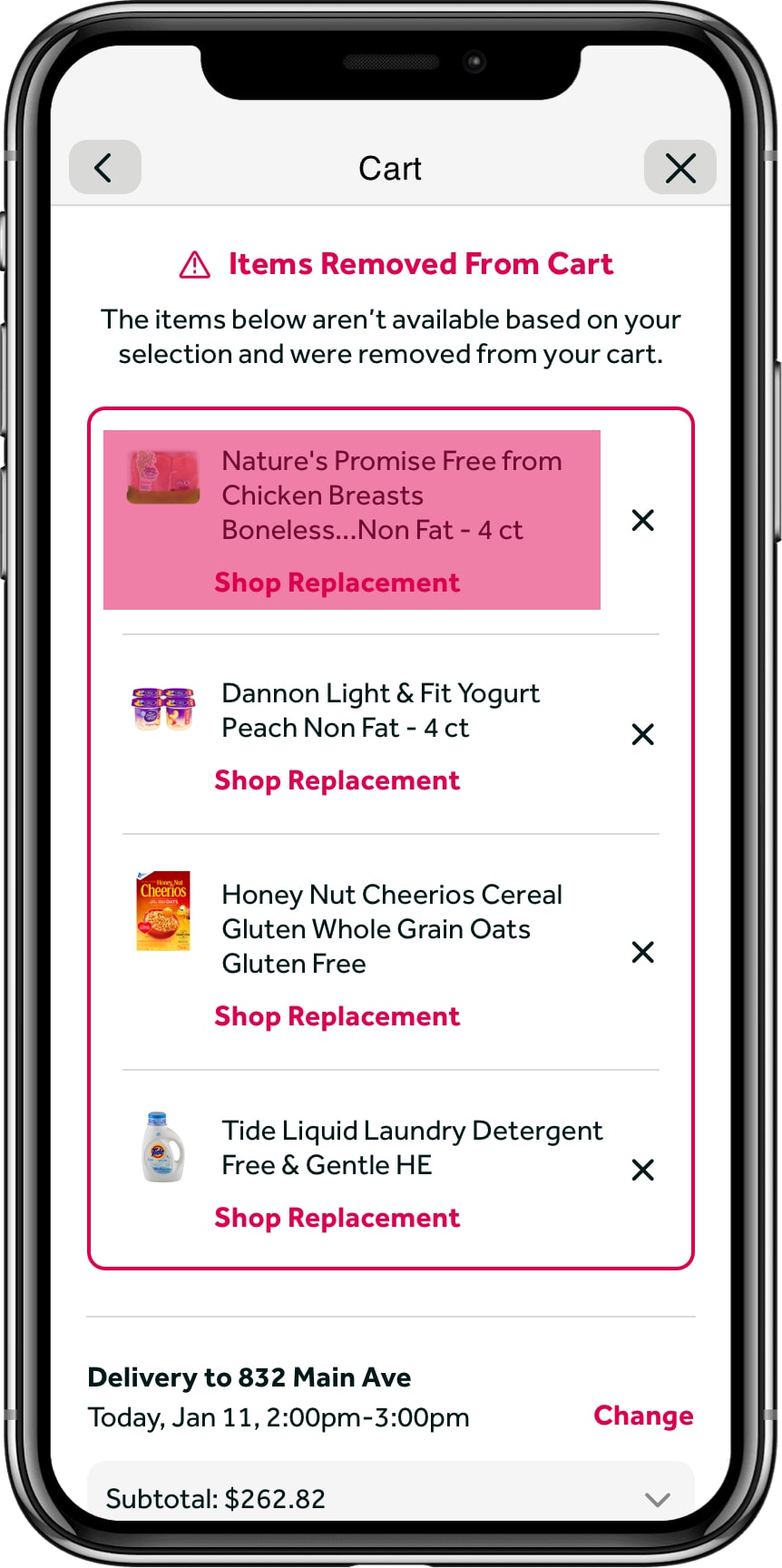
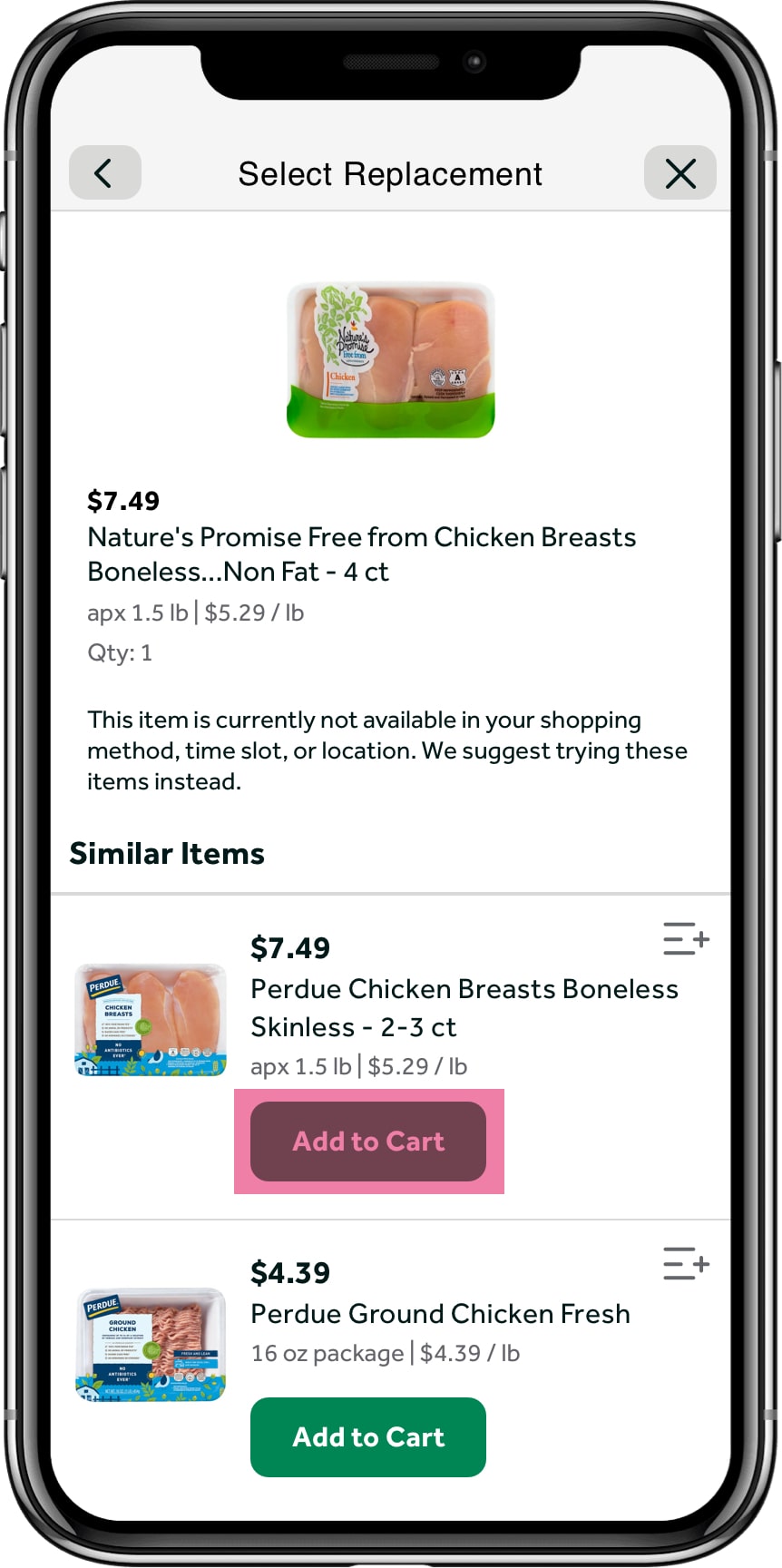
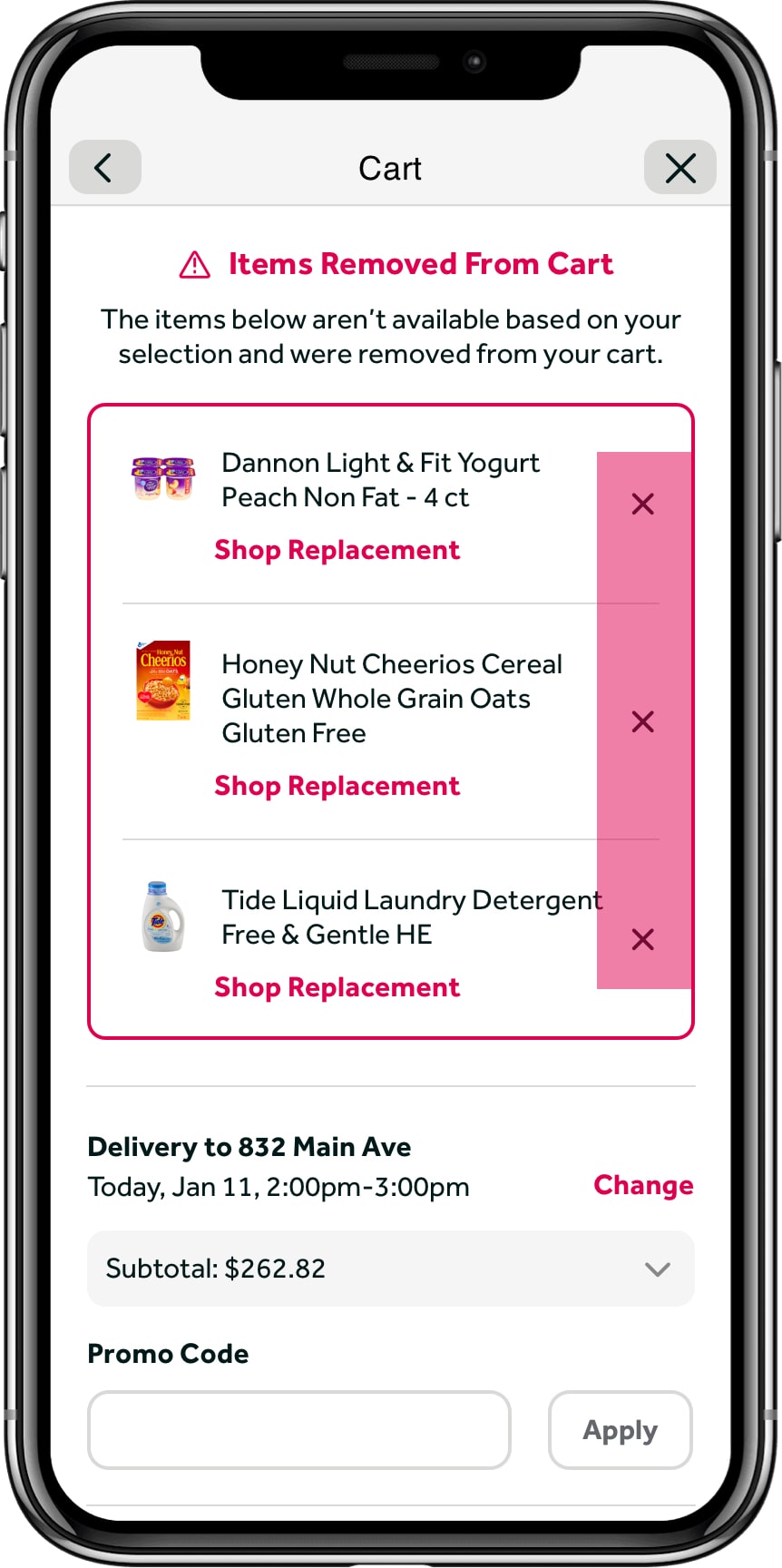
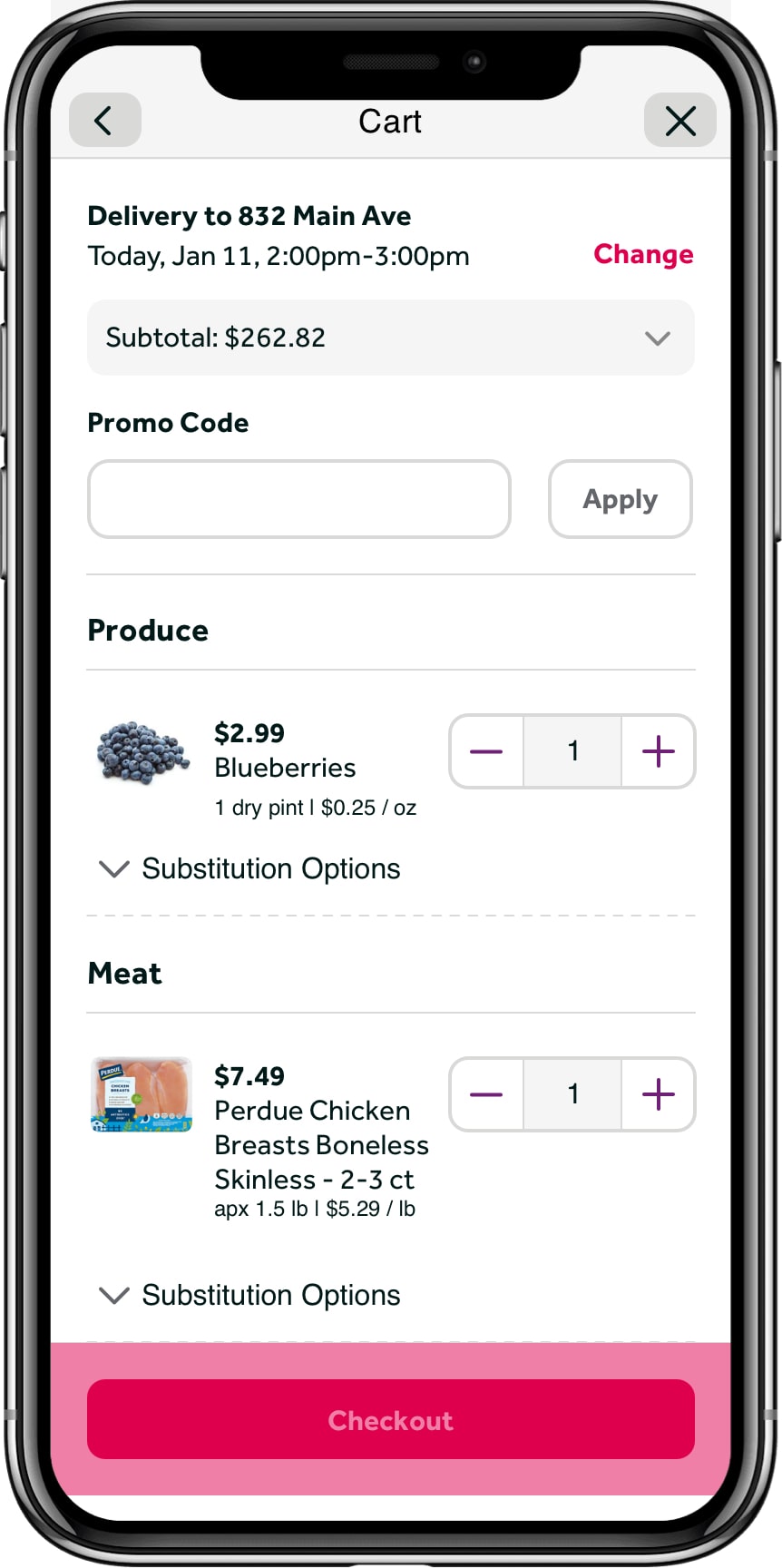
Actual prototype built for brands and testing in InVision, fully interactive. Can provide upon request.
Validation
MVP Usability Testing
Though we got leadership approval, we still wanted to make sure we were putting out a quality product. We ran a quick user test focused on having a user change their fulfillment method and react to changes in their cart. We wanted to see if they were able to understand what was happening, and select replacement products. We also used this as a gut check to see if people were frustrated by the experience.
All tasks were ranked on a scale of 0–5, 5 being the most successful.
- Task 1: Change Delivery Time5.0
- Task 2: React to Availability ChangeFeedback Only
- Task 3: Replace Single Item4.8
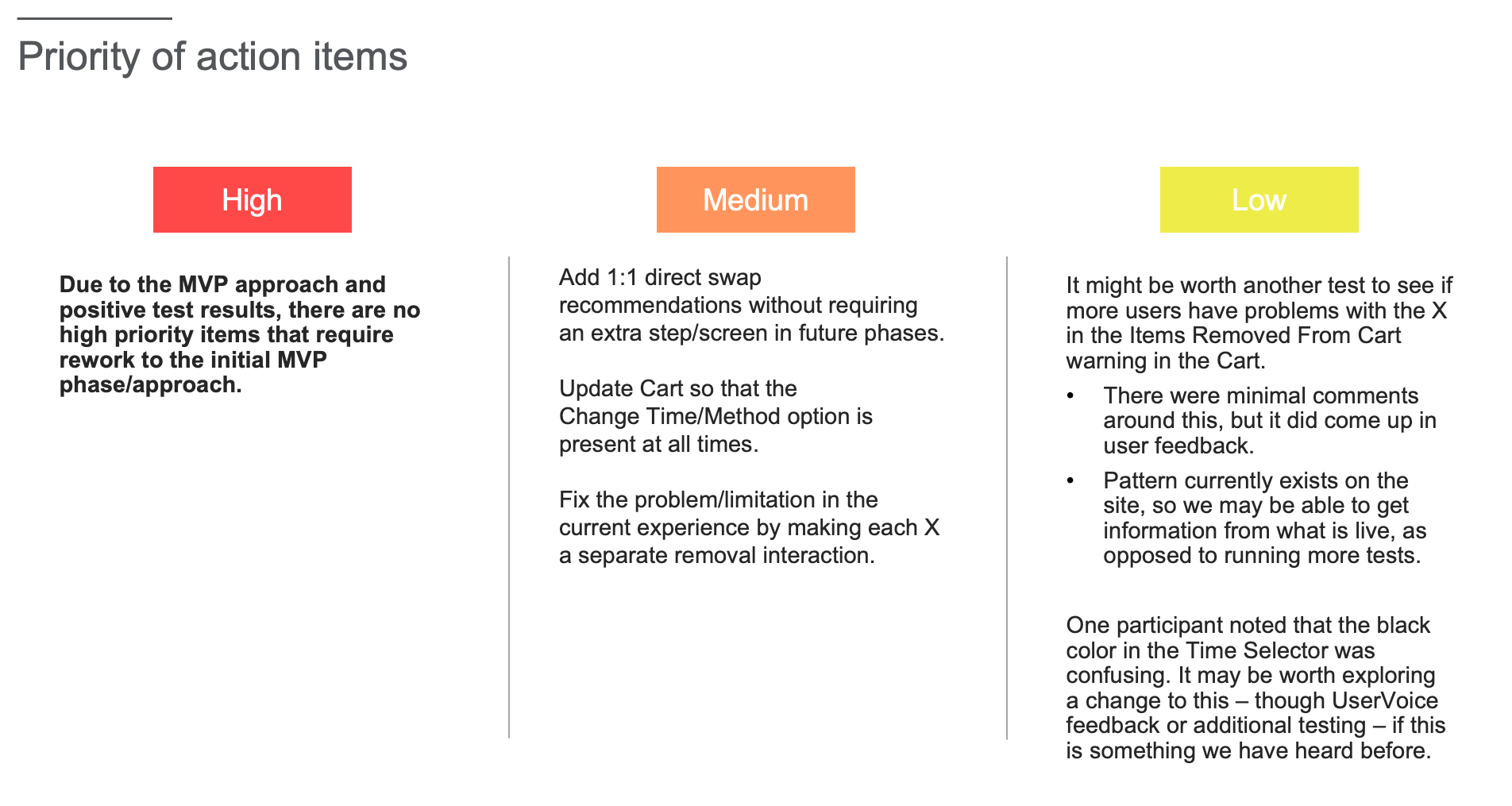
- Task 4: Remove Cart Notifications3.9
Note: Task 4 ranked a bit lower because users did not follow the expected path and went directly to Checkout, which was actually a successful completion.
"Overall, the tasks were very successful, showing us that the MVP approach was good to go."
Outcomes & Next Steps
Further Refinement
Refine MVP
Due to resource issues and a few bugs, we had to remove a few things from the MVP. While the core experience remained the same, all of the screens that allowed users to view removed products and swap new products were removed. The experience was still on par with our competition.
Roll Out With Select Brands
We wanted to roll this out with all brands, but had to reduce this list initially. One of the key components is price parity, which allows users to keep the initial price even if it changed due to fulfillment method or location. Brands that did not agree were moved to Phase 2.
Refine Data and Launch
Even with the slightly reduced MVP, we were able to launch this product with more locations rolling out consistently every few weeks. The plan was to have this for all brands and all locations by end of 2022.